Micro Data Centers: Why Local Computing Can Be More Efficient
 Lorenzo Vallone
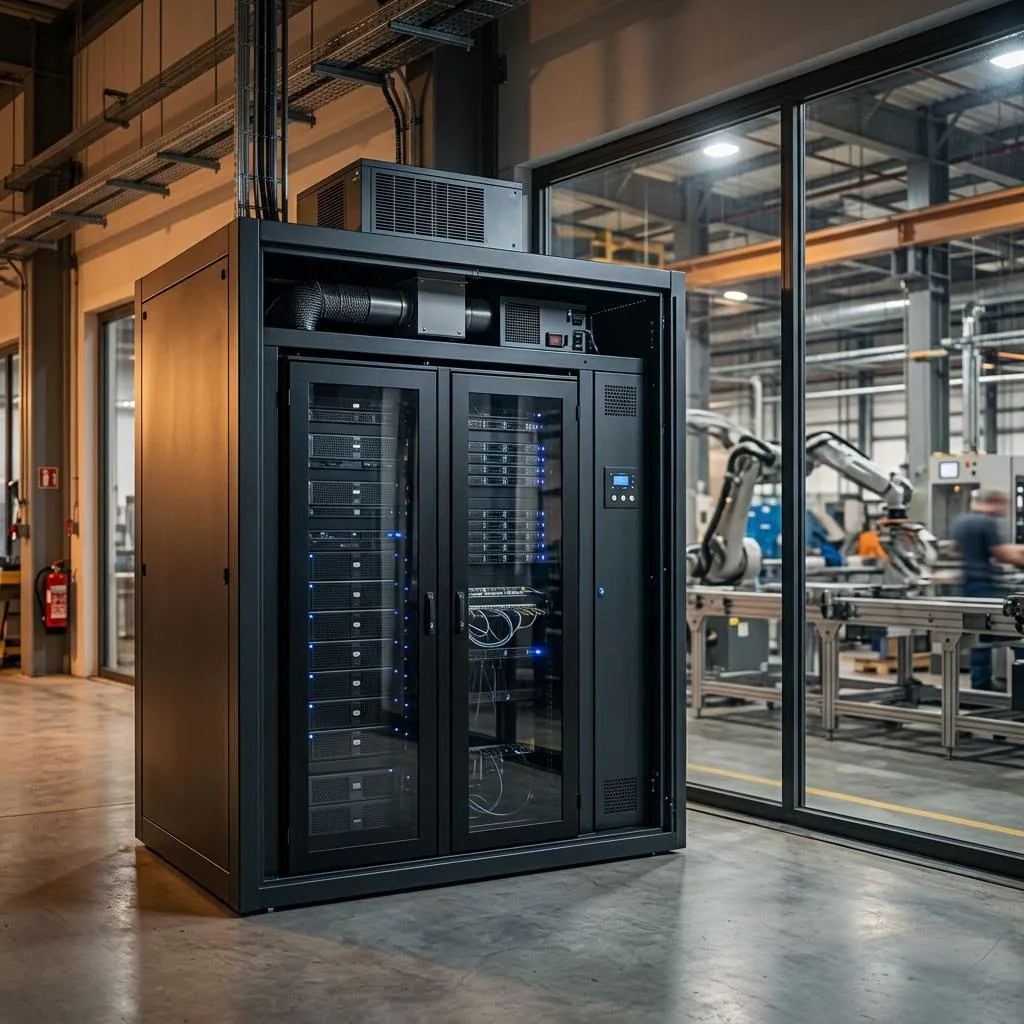
Not every useful AI workload belongs in a giant server campus. A factory inspecting products, a store analyzing camera feeds, or a remote facility that cannot depend on continuous connectivity may need computing close to where the work happens.
That is the opportunity behind micro data centers: compact, integrated computing environments that can bring processing, storage, networking, power protection, cooling, and monitoring into a much smaller physical footprint.
They can be more efficient—but the important question is more efficient at what, compared with which alternative?
A well-designed micro data center can improve response times, reduce the volume of data sent elsewhere, and replace an inefficient server room. It is not automatically more energy-efficient than a highly utilized hyperscale facility. The strongest case is usually about putting the right amount of computing in the right place, not simply making a data center smaller.
What is a micro data center?
The International Telecommunication Union's ITU-T L.1307 recommendation defines a micro data center as a compact, modular solution providing processing, storage, and networking capabilities.
In practice, manufacturers integrate those IT resources with supporting infrastructure. Depending on the design, that can include an enclosed cabinet, uninterruptible power supply, power distribution, cooling, environmental sensors, access controls, and remote management. Vertiv's architectures illustrate cabinet and multi-rack configurations.
There is no single rack count or kilowatt ceiling established as a universal definition in the sources reviewed for this article. The terminology also overlaps:
| Term | What it describes | Why the distinction matters |
|---|---|---|
| Micro data center | A compact, integrated computing environment | Describes form and scale, not a guaranteed efficiency level. |
| Edge computing | Processing placed closer to devices, users, or the source of data | Describes location in an architecture; an edge facility need not be micro. |
| Modular or prefabricated data center | Infrastructure assembled from pre-engineered or factory-integrated components | A modular facility can be small or very large. |
| Hyperscale data center | Very large infrastructure supporting substantial computing services | Scale can support pooling and efficient facilities, but proximity and application requirements still matter. |
These distinctions draw on ITU guidance, NIST's conceptual model of fog computing, and Schneider Electric's discussion of prefabricated modular systems. NIST's 2018 document is useful architectural background, not a current product specification.
A micro data center is therefore not merely a smaller AI model or a laptop running a chatbot. It is supporting infrastructure for operating computing equipment in a compact environment.
Why can local computing be more efficient?
1. It can process information before moving it
Consider a manufacturing inspection system. Cameras produce continuous video, but a business may need only defect alerts, selected images, and production statistics in its central systems.
Processing those streams locally can allow the system to send relevant results instead of continuously transferring every frame to a distant service. Research such as Reducto's on-camera filtering work illustrates the broader principle of reducing unnecessary video transmission.
That is a bandwidth advantage. It may also reduce storage or transfer costs, depending on the service and contracts. But it is not automatically a net energy saving: local inference consumes electricity too. The correct comparison includes the local hardware, its idle draw, cooling, network traffic, and the remote work that is genuinely avoided.
Nor must this filtering happen in a micro data center. Some cameras and embedded devices can do it themselves. A dedicated cabinet makes sense only when the combined workload and operating requirements justify it.
2. It can shorten a time-sensitive decision path
NIST and ITU describe architectures that place resources close to users or data sources to support local and latency-sensitive services. A factory application may benefit from making an inspection decision on site rather than waiting for a round trip to a remote region.
This can improve operational efficiency even if the electrical savings are small or unproven. A faster useful decision and a lower electricity bill are different outcomes.
Physical proximity is only part of the delay. Model execution, queues, networking, and application design also matter. A lightly powered local server is not necessarily faster than a well-provisioned remote service. A September 2026 measurement preprint on edge-continuum inference reinforces that hardware and execution choices affect the tradeoff; it is not a comprehensive, metered comparison with hyperscale cloud.
3. It can replace an oversized, poorly managed server room
The most convincing comparison is often not micro versus hyperscale. It is a properly integrated cabinet versus the organization's existing server room.
An old room may contain lightly loaded servers, unnecessary capacity, inefficient power equipment, and cooling that serves far more space than the actual equipment requires.
The U.S. Department of Energy's data-center design guide emphasizes consolidation, better airflow, appropriate equipment sizing, and power and cooling performance at partial load. ITU similarly emphasizes virtualization, monitoring, and resource management. Older Lawrence Berkeley National Laboratory research on small data centers documents the scope for improvement, although its 2017 findings should not be treated as current statistics for modern micro systems.
A contained, right-sized installation can apply these principles without maintaining a dedicated room. But the cabinet is not the source of savings by itself. Removing unnecessary equipment, using capacity productively, and engineering the cooling and electrical systems are what matter.
4. It can add capacity in smaller increments
Modular infrastructure can let an organization install capacity as demand develops rather than build an entire room for a distant peak. That can improve capital efficiency and help avoid oversized cooling and power systems.
This is conditional. A business that buys too much capacity in a small cabinet has still bought too much capacity. Redundancy, peak demand, and expansion requirements may also justify headroom.
The decision should be based on the expected load profile and service requirements, not a promise that modular hardware always costs less or saves electricity.
Cooling is important—but impressive numbers need context
Containing airflow around a compact installation can reduce mixing between hot exhaust and cool intake air. Appropriate liquid cooling or other thermal designs may help where heat density warrants them. DOE's guide discusses these mechanisms, while ITU warns that micro sites placed outside dedicated computer rooms may need their own cooling and environmental monitoring.
Power Usage Effectiveness, or PUE, is total facility energy divided by IT equipment energy over the same period. It measures infrastructure overhead, not how much useful work a server performs. The ISO/IEC 30134-2 standard defines the measurement framework.
Two examples show why the boundary matters:
| Example | What the source reports | What it does not establish |
|---|---|---|
| IIJ micro data center offering | IIJ describes an integrated, roughly refrigerator-sized system and reports PUE of approximately 1.2. | The product page does not disclose enough operating-period, load, climate, and boundary information to treat that as an independently audited result for every deployment. |
| TU Eindhoven thermosyphon experiment, 2024 | An 11-node experimental micro data center demonstrated very low cooling overhead using a gravity-driven two-phase cooling system. | The reported PUE calculations cover computer equipment and cooling fans, not every component of a complete production facility. They are not directly comparable with whole-facility fleet PUE. |
Sources: IIJ's product description and TU Eindhoven's conference research.
Those are useful examples of engineering approaches, not proof that all small installations outperform large facilities.
Liquid cooling is also not a universal requirement. Its suitability depends on heat density, heat rejection, pumping, maintenance, and the installation environment. “Waterless cooling” does not mean zero electricity use or zero indirect water footprint. Reusing waste heat is valuable only when there is a compatible nearby heat demand and the energy needed to deliver usable heat is counted.
Why a large shared facility may still win on energy
Large facilities can pool many customers and workloads, spreading fixed infrastructure across more useful work. Small sites may instead duplicate always-on servers, backup equipment, cooling, and spare capacity.
In Uptime Institute's 2026 research, the annual per-facility average PUE was 1.52, while a capacity-weighted calculation was lower at 1.36. The institute reports that newer, larger facilities routinely achieve PUE of 1.3 or below.
That survey is not a controlled experiment proving that size alone determines efficiency: newer designs and other characteristics matter. But it directly challenges the assumption that smaller facilities inherently have lower overhead.
Utilization matters just as much. A cabinet with an excellent cooling design can still be inefficient per useful result if expensive servers sit mostly idle.
For illustration, if a local workload used 100 kilowatt-hours of IT energy and its facility PUE were 1.2, total facility energy would be 120 kWh. If another system used 80 kWh for the same useful work at PUE 1.1, its facility total would be 88 kWh—before any network and end-device differences are counted. These are hypothetical values, not measurements of micro or cloud services.
The point is that comparing PUE alone misses the IT workload itself. Our article on AI efficiency and rising electricity demand explains that broader accounting problem.
The operational responsibilities do not become micro
An integrated cabinet still needs power, suitable environmental conditions, maintenance, security, and a recovery plan.
For remote sites, ask who receives an overheating alert, how someone gains secure access, how batteries and cooling equipment are serviced, and what happens when a replacement part cannot arrive promptly. Uptime's research on resilient edge sites identifies remote monitoring and unstaffed operation as central considerations; its 2023 publication provides principles, not current local service pricing.
Keeping processing nearby may help selected functions continue during an internet outage—but only if the software is designed for it. Cloud-based identity, licensing, DNS, model APIs, or control systems can still interrupt a supposedly local application. Test those dependencies rather than assuming that a UPS and local server deliver continuity.
Likewise, local data storage is not automatic regulatory compliance. Access controls, backups, lawful processing, vendor contracts, and international access still matter. NCSC's resilience guidance and the EDPB's small-business guidance on international transfers support evaluating responsibilities and actual data flows, not just where a cabinet stands.
Where should a small or midsize organization consider one?
The following are decision scenarios, not claims that every organization in a sector needs local infrastructure.
| Situation | Potential benefit of local infrastructure | What could make another approach better |
|---|---|---|
| Continuous machine-vision inspection | Local processing, fast decisions, selected results sent centrally | Embedded camera processing may be enough; a cabinet could be unnecessary. |
| A site with unreliable connectivity | Selected local services can continue if designed and tested for disconnection | Cloud dependencies may remain; recovery and support need engineering. |
| Many on-site devices generating substantial data | Shared local processing may reduce unnecessary transfers | Low traffic, efficient compression, or an existing central platform may remove the need. |
| Replacement of an inefficient server room | Consolidation and better-controlled cooling and power | Colocation or managed cloud may provide better utilization and lower operating burden. |
| Occasional AI experiments or variable office workloads | Limited inherent advantage from dedicated local hardware | Shared services may avoid idle equipment and allow capacity to scale down. |
| Sustained local inference with clear requirements | Predictable workload may justify dedicated resources | Hardware refresh, model size, support, and service-level needs may favor managed hosting. |
Many organizations should evaluate a hybrid design: local processing for selected time-sensitive or outage-critical functions, with centralized services for appropriate training, storage, management, or burst workloads. Hybrid still needs careful integration and security; it is not automatically the cheapest option.
How to evaluate a proposal without accepting the marketing
Define the job first: what useful output, quality, response time, uptime, and requirements must the system meet?
Then compare the micro design against realistic alternatives: the existing server room, managed cloud, colocation, or embedded devices. Hold the workload and service requirements constant.
Ask for measurements across the actual operating cycle—including idle hours and peak periods—not just a fully loaded demonstration. Count IT energy, cooling and power overhead, meaningful network differences, and the work genuinely avoided elsewhere. Keep electricity, carbon emissions, water, bandwidth, and cost as separate measures.
For total cost, include installation, equipment, power, cooling, connectivity, software, monitoring, security, batteries, maintenance, technician visits, refresh, backup, and eventual retirement. A lower purchase price is not a five-year operating-cost result.
Finally, pilot one representative workload. Measure energy and cost per accepted business result, alongside latency, quality, and recovery behavior. There is no defensible universal percentage by which a micro data center will outperform cloud for every organization.
The real advantage is appropriate placement—not smallness
Micro data centers give organizations another way to place computing where it creates value. Their strongest benefits can include timely decisions, less unnecessary data movement, better use of physical space, and a more disciplined alternative to a neglected server room.
The research does not justify declaring them inherently greener than hyperscale facilities. Some frequently quoted savings come from vendor descriptions, selected hardware comparisons, or experiments with limited measurement boundaries.
A micro data center is more efficient when its architecture reduces the total resources needed to deliver a defined useful outcome. Its size is a design choice—not proof of that outcome.
Research reviewed November 2026. The evidence includes standards and government guidance, independent industry research, academic experiments, and clearly attributed manufacturer descriptions. Older engineering sources are identified in context; preprints and restricted-boundary experiments are not treated as universal benchmarks. No independent, like-for-like full-system comparison found in this review establishes a general savings percentage for micro versus hyperscale deployments. The banner is an AI-generated editorial illustration, not a photograph of a named installation.